
January 2026 - Release Notes
Features & Releases
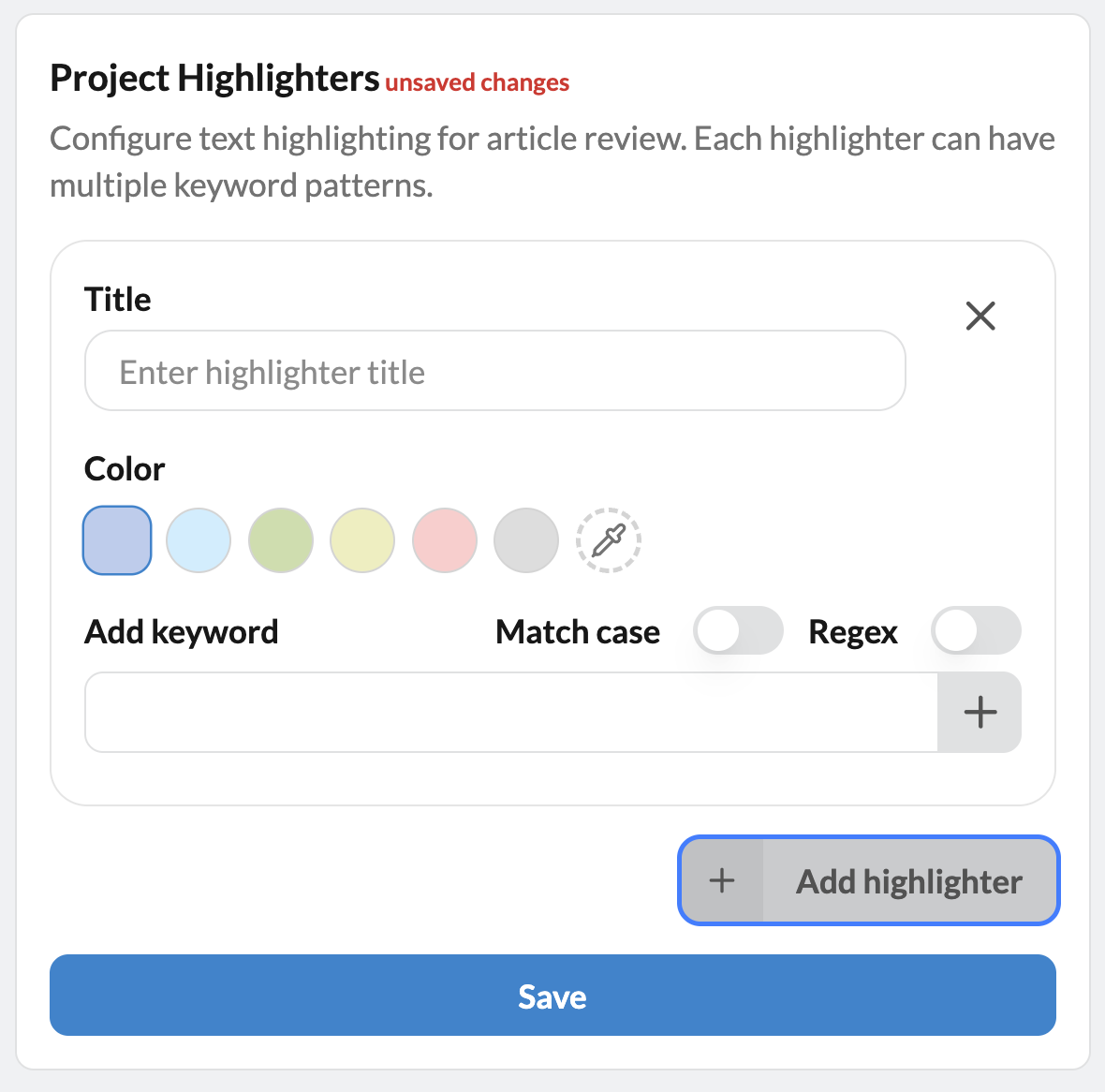
Project (text) Highlighter: The Project highlighter is located in Manage -> Settings, below the Project setting box. Click the + Add highlighter button, give your highlighter a name (aka Title) and add terms in the Add keyword box, clicking the + button or enter on your keyboard after each term or phrase. Options include case sensitivity and regular expressions (which can be used to highlight terms or phrases based on a pattern, such as all numeric measures in microgram units). You can also use the color picker to choose custom colors. When choosing darker colors, the font of the highlighted text will automatically change to white to improve readability.
For more information, check out this article in the Sysrev Knowledgebase.
Zotero Import Translator: Sysrev has integrated the Zotero Translator for Import/Export file types. Moving forward, any file that is compatible with Zotero can be imported into Sysrev without loss of data. Learn more about the Zotero Translator here.
Gemini Auto-labeler data transfers: We have updated the way PDFs are transferred to and processed by the Gemini 2.5 Flash LLM. Previously, we would pre-process PDFs using Grobid to turn a PDF into text. This process was helpful to early models. Moving forward, we will perform no text pre-processing and send the full PDF to Gemini. This will increase data recall, by removing the possibility of text constraints, as well as providing images, tables and headers to Gemini.
Bugs & Defects
Check new results: A defect was fixed whereby Sysrev was not properly checking parent projects for new articles that match a filter used as an import into a child project.
Disabled article data: A defect was fixed whereby the data of/from disabled articles was still populating project widgets e.g. the User Answers histogram.
Prefilled False Boolean : A defect was fixed whereby Sysrev was not properly prefilling Auto-labeler answers for human review when the Auto-labeler returned False for a boolean label.