
Resolving conflicting reviewer answers
In a typical review process, two reviewers independently screen or extract data from articles. Inevitably, those reviewers will not always agree and disagreements must be resolved to arrive at a final decision about a label answer.
Setting label consensus to Required
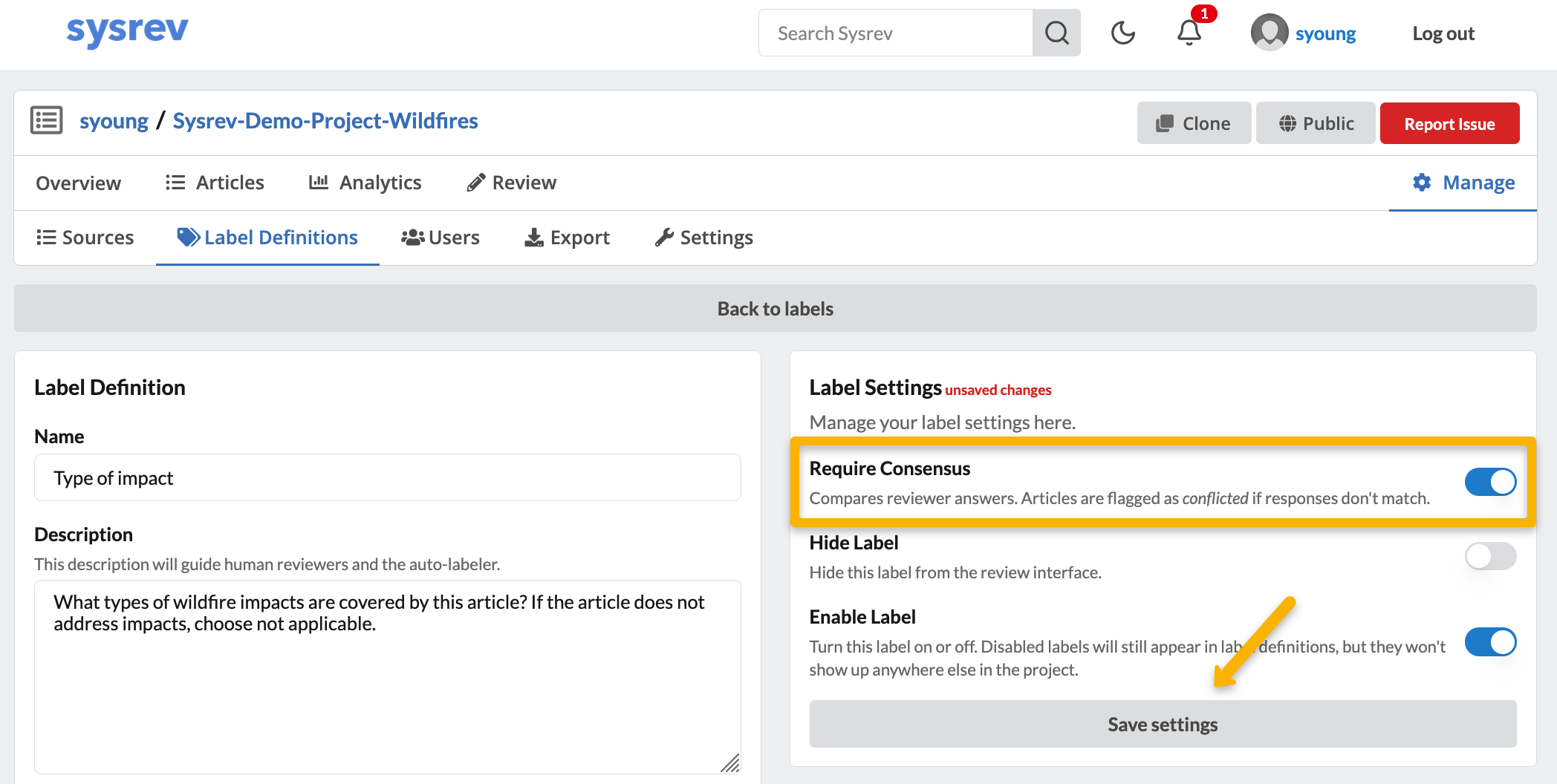
Sysrev facilitates the conflict resolution step by identifying conflicts for labels requiring consensus. To set a label to require consensus such that disagreements are flagged as conflicts, go to Manage -> Label Definitions. Click on the gear icon next to the label you'd like to change to open its label settings. Toggle the Require Consensus setting on and click Save.
Filtering to articles with conflicting label answers
Once two reviewers have reviewed some articles, articles with conflicting decisions on any label requiring consensus can be accessed in one of two ways:
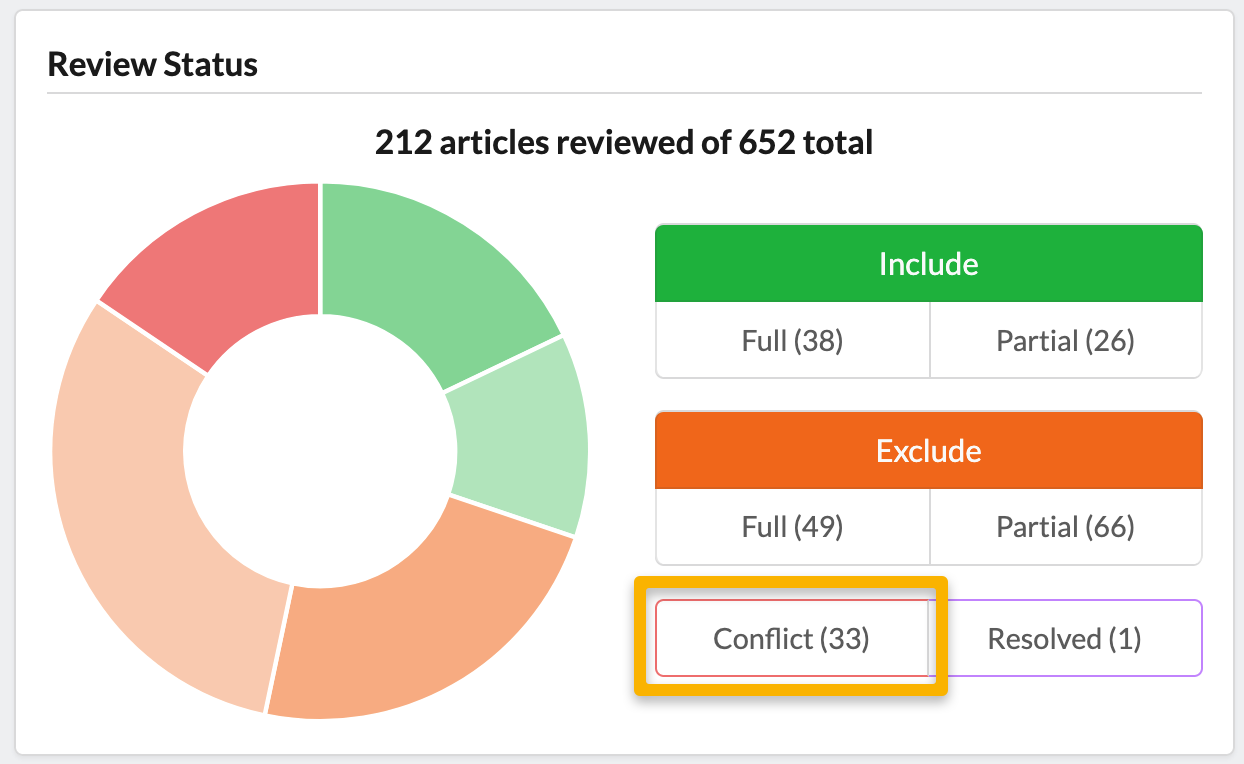
- From the Overview tab: The Review Status box indicates the number of articles with conflicts for labels requiring consensus. You can click on the Conflicts box to quickly get to a list of those articles.
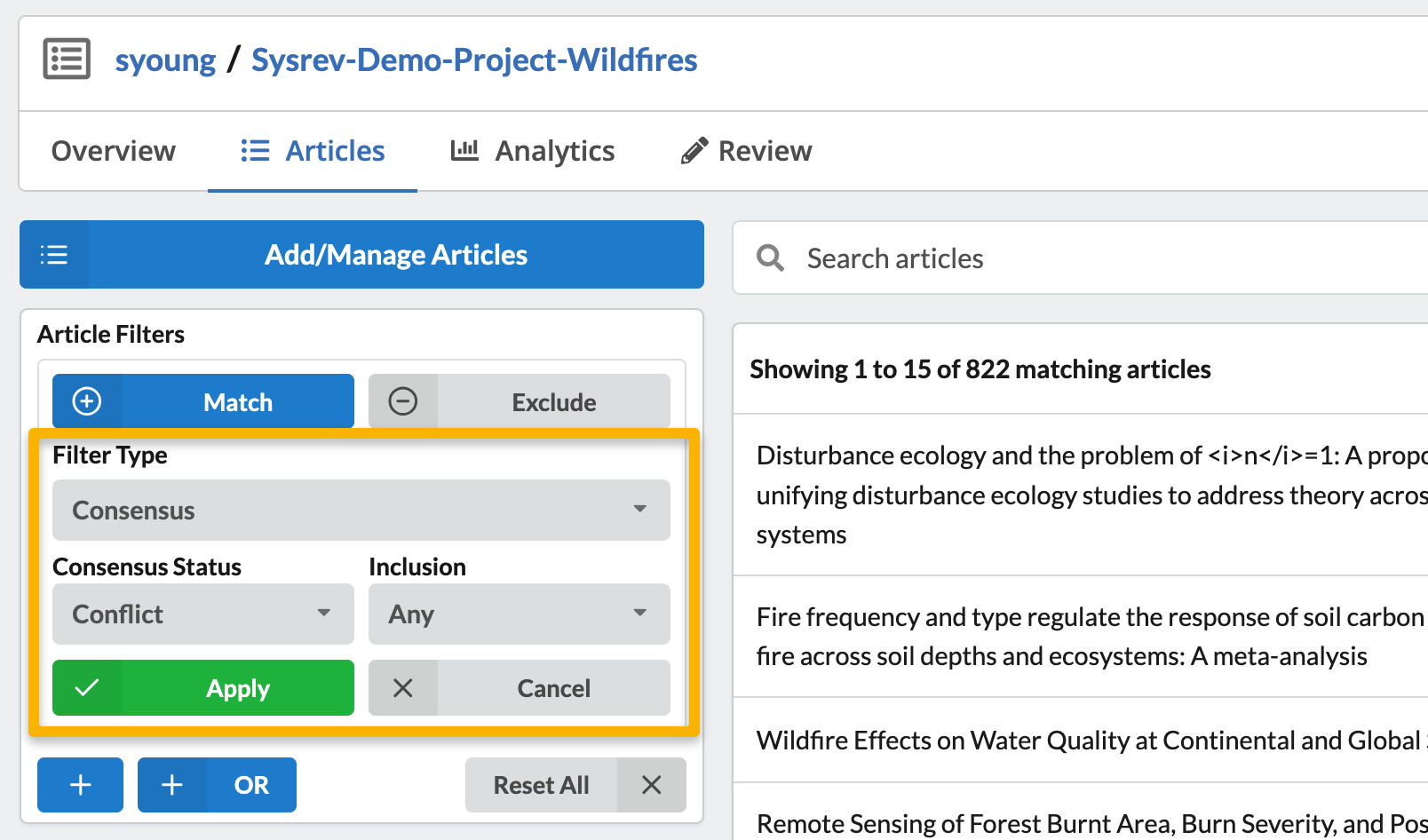
- From the Articles tab, using a Consensus filter: You can apply a filter from the Articles tab to get a list of all articles with conflicts for labels requiring consensus. To do so, choose Consensus from Filter Type and Conflict from Consensus Status. Then click Apply.
Resolving conflicts
Once you have a filtered list of articles with conflicts, from the Articles tab, click on one of the articles in the list. Under the article information, you will see a Resolve Labels button.

Once you click on this button, you will be taken to the Review view of the article where you can edit the labels with the answers deemed to be correct. Click Resolve. You can also click the "Copy" button next to one of the reviewer's names to fill out the label's with that reviewer's answers.
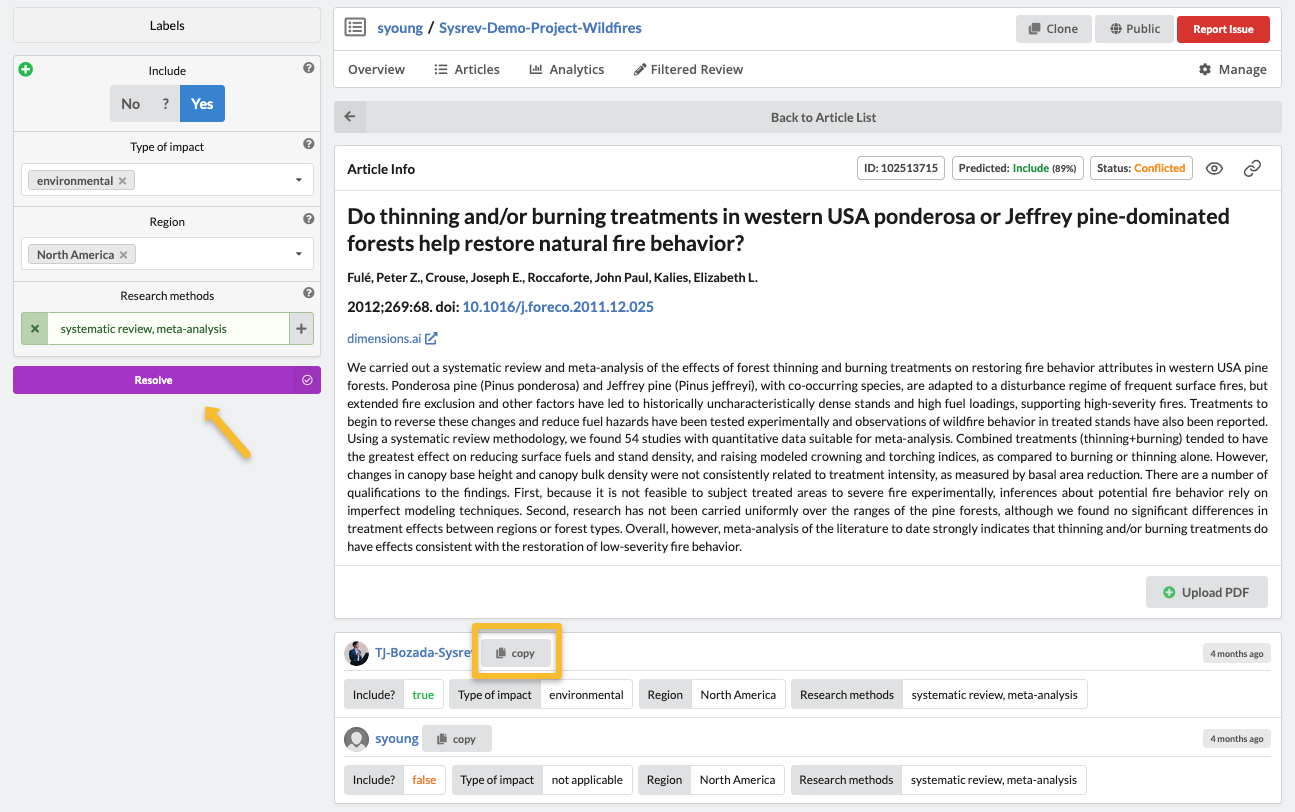
The article will now be marked as resolved. The original label answers and resolved label answers have been saved and will be viewable in project data exports. Note that only project members with Admin or Owner permissions will be able to resolve conflicts.
You can quickly get to a list of articles that have resolved conflicts as described above--either from the Review Status box on the Overview page, or setting a Consensus filter for Consensus status: Resolved from the Articles tab.